If you’ve ever lost track of a hot lead, forgotten to follow up with a client, or spent an hour digging through email chains to find a contact’s details, you already know why CRM software exists.
Customer Relationship Management (CRM) tools have gone from being a “nice to have” to an absolute must-have for businesses of all sizes across the USA. Whether you’re running a small e-commerce store in Austin or managing a 200-person sales team in New York, the right CRM changes everything.
But here’s the thing — there are hundreds of CRM tools out there, and picking the wrong one wastes time, money, and a lot of frustration. That’s why we put together this guide covering the top 10 CRM software options available right now, with honest breakdowns of what each tool actually does well (and where it falls short).
Let’s get into it.
What Is CRM Software and Why Do You Need It?
CRM software is basically a centralized system where your business stores all customer data — names, emails, phone numbers, past purchases, conversations, deal stages, and more. Instead of juggling spreadsheets, sticky notes, and scattered inboxes, everything lives in one place that your entire team can access.
Here’s what a good CRM helps you do:
- Track every lead and deal without things slipping through the cracks
- Automate repetitive tasks like follow-up emails and meeting reminders
- See your sales pipeline clearly so you know exactly where each deal stands
- Understand your customers better with behavior tracking and purchase history
- Collaborate across teams — sales, marketing, and support all on the same page
For US-based businesses especially, where customer expectations are high and competition is stiff, having a solid CRM isn’t optional anymore. According to industry data, businesses that use CRM software see measurable improvements in customer retention, sales close rates, and team productivity.
How We Picked These 10 CRM Tools
We didn’t just pull names from a list. We evaluated each platform based on:
- Core features — contact management, pipeline tracking, reporting
- Ease of use — how quickly a new team member can get up and running
- Pricing and value — what you actually get for your money
- Integrations — how well it connects with tools like Gmail, Slack, QuickBooks, etc.
- Customer support quality — especially important for small businesses without a tech team
- AI and automation capabilities — increasingly important in 2026
- Real user reviews from platforms like G2, Capterra, and Trustpilot
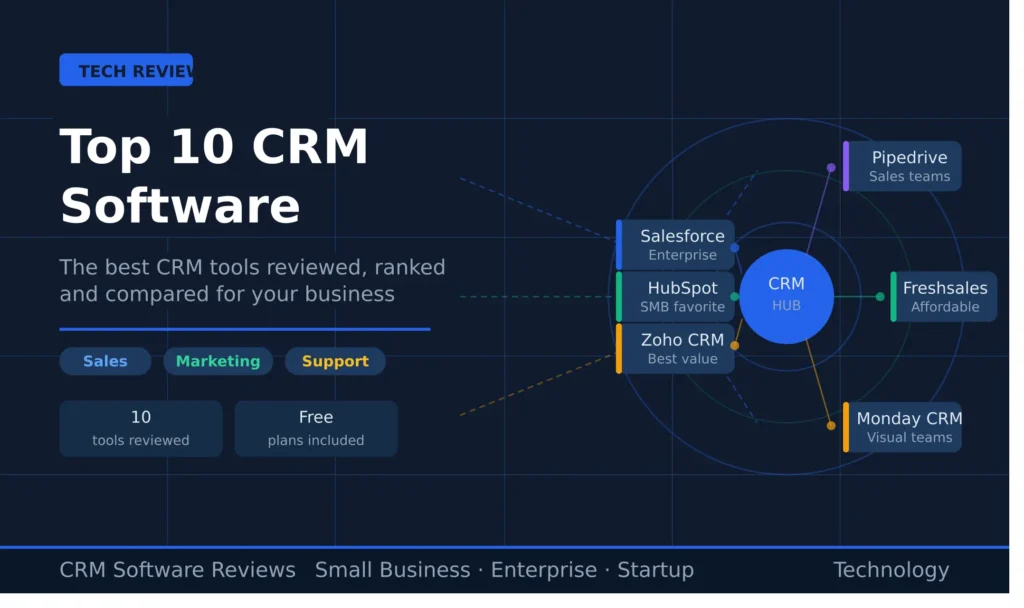
With that said, here are the top 10 best CRM software options in 2026.
Top 10 CRM Software — Full Reviews
1. Salesforce — Best for Enterprise Teams
Best for: Mid-to-large businesses with complex sales processes.
Starting price: ~$25/user/month (Starter Suite)
Salesforce has held the #1 spot in the CRM market for years, and honestly, it still earns it for enterprise-level use. If you’re running a large sales operation with multiple teams, complex pipelines, and the need for deep customization, there’s nothing quite like it.
The platform’s AI feature — called Agentforce — is genuinely impressive. It can rank leads by conversion likelihood, predict revenue from your pipeline, and suggest next-best actions for your reps. The customization options are deep enough that you can essentially rebuild the CRM to match your exact workflow.
That said, Salesforce is not for everyone. The learning curve is steep. Setting up complex workflows takes real time and often requires a dedicated admin or consultant. And the pricing adds up fast once you start layering in advanced features.
What we like:
- Unmatched customization and scalability
- Powerful AI-driven lead scoring and forecasting
- Massive ecosystem of integrations (8,000+ apps)
- Excellent training resources via Trailhead
What to watch out for:
- Expensive — especially for smaller teams
- Complex to set up without technical help
- Support tiers are locked behind higher-priced plans
Bottom line: If you’re a growing enterprise or have a dedicated ops team, Salesforce delivers. For small businesses or startups, it’s probably more than you need right now.
2. HubSpot CRM — Best for Small to Mid-Sized Businesses
Best for: SMBs, startups, and marketing-driven teams.
Starting price: Free plan available; paid plans from ~$15/user/month
HubSpot is arguably the most beginner-friendly CRM on this list, and that’s a huge deal for small business owners who don’t have time to learn a new system from scratch. The free plan is genuinely functional — not just a teaser — and covers contact management, deal tracking, email tools, and basic reporting.
Where HubSpot really shines is in marketing and sales alignment. If your team runs email campaigns, manages inbound leads, and needs to track the full customer journey from first click to closed deal, HubSpot ties all of that together cleanly.
The interface is clean, intuitive, and most new users can navigate it without any formal training. HubSpot also has one of the largest app marketplaces out there, so connecting it to your existing tools is usually painless.
What we like:
- Generous free plan — great starting point
- Super easy to use — minimal learning curve
- Strong marketing automation features
- Excellent customer support and documentation (HubSpot Academy is free)
What to watch out for:
- Pricing scales fast as your contact list grows
- Advanced customization is limited compared to Salesforce
- Custom reports only available on higher plans
- AI features are basic on lower tiers
Bottom line: For US small businesses that are growing and want a CRM that does marketing and sales together, HubSpot is hard to beat. Just watch the pricing as you scale.
3. Zoho CRM — Best Value for Money
Best for: Budget-conscious SMBs, solopreneurs, and growing teams.
Starting price: Free for up to 3 users; paid plans from ~$14/user/month
If you’re looking for the most features per dollar, Zoho CRM is the answer. It’s packed with tools — lead scoring, workflow automation, multichannel communication, sales forecasting, and a surprisingly good AI assistant called Zia — all at a price point well below Salesforce or HubSpot.
Zoho also has one of the deepest ecosystems in the industry. If you already use Zoho Books, Zoho Desk, or Zoho Campaigns, everything connects natively without additional fees. For businesses building out a full tech stack on a budget, this is a serious advantage.
The trade-off? The interface can feel a little cluttered, especially when you’re getting started. Setting up workflows takes patience, and new users often report a steeper learning curve than expected. But once you’ve got it dialed in, it’s an incredibly capable tool.
What we like:
- Outstanding value for money
- AI assistant (Zia) for predictions and recommendations
- Deep integration with the Zoho app ecosystem
- Free plan available for small teams
- Highly customizable modules and dashboards
What to watch out for:
- UI can feel overwhelming at first
- Pipeline management views aren’t as clean as HubSpot or Pipedrive
- Outside integrations aren’t as smooth as Salesforce
Bottom line: For cost-conscious businesses — especially those already in the Zoho ecosystem — this is one of the top 10 best CRM software options available. The value is unbeatable.
4. Microsoft Dynamics 365 — Best for Microsoft Users
Best for: Enterprises already using Microsoft tools (Teams, Outlook, Azure).
Starting price: ~$65/user/month
If your business runs on Microsoft Office 365, Azure, or Teams, Dynamics 365 is a natural fit. The integration between these tools is seamless in a way that third-party CRMs simply can’t match — your emails, calendar, Teams chats, and CRM records all talk to each other natively.
Dynamics 365 is also one of the few platforms that combines CRM and ERP (Enterprise Resource Planning) in one place. That means sales, finance, operations, and customer service can all run from the same system, which is a big deal for larger organizations tired of managing multiple platforms.
The AI capabilities here are solid too — predictive lead scoring, sales forecasting, and automated insights are baked into the platform.
What we like:
- Deep Microsoft ecosystem integration
- Combined CRM + ERP capabilities
- Strong AI and automation features
- Excellent security and compliance standards
- Both cloud and on-premise deployment options
What to watch out for:
- Steep pricing compared to many alternatives
- Complex setup — often needs implementation partner support
- Overkill for small businesses
Bottom line: If you’re a Microsoft-first organization, Dynamics 365 is a serious contender. For businesses not in the Microsoft world, there are friendlier options.
5. Pipedrive — Best for Sales-Focused Teams
Best for: Sales reps and small sales teams who want simplicity.
Starting price: ~$14/user/month
Pipedrive was built by salespeople, for salespeople — and it shows. The pipeline view is one of the cleanest and most intuitive in the industry. Every deal is visible, every stage is clear, and moving prospects through your pipeline takes almost no effort.
If your team’s main job is selling — making calls, booking demos, closing deals — and you don’t need a heavy marketing automation layer on top, Pipedrive is refreshingly simple. It cuts out the noise and keeps your reps focused on what matters: moving deals forward.
It also has solid automation for things like follow-up reminders, email sequences, and activity scheduling. And at its price point, it’s very competitive.
What we like:
- The most intuitive visual pipeline in the CRM space
- Easy to set up and use — minimal training needed
- Good automation for sales workflows
- Affordable pricing, especially for small teams
What to watch out for:
- Limited marketing features — it’s primarily a sales tool
- Revenue forecasting depth isn’t as strong as Salesforce
- Some integrations require higher-tier plans
Bottom line: If your priority is a no-nonsense CRM that helps your sales team close deals without distraction, Pipedrive belongs on your shortlist.
6. Freshsales — Best for Growing Sales Teams
Best for: SMBs and mid-market companies looking for an affordable all-in-one
Starting price: ~$9/user/month (Growth plan)
Freshsales (part of the Freshworks suite) is a solid choice for growing businesses that want a modern, capable CRM without paying Salesforce prices. It has built-in phone, email, and chat capabilities — so your sales reps can reach leads directly from the CRM without switching tools.
The AI features — branded as Freddy AI — help with lead scoring, deal predictions, and activity suggestions. The interface is clean and modern, and the platform is noticeably faster than Zoho at everyday tasks.
If you’re already using Freshdesk for customer support, the integration between the two is smooth and worth taking advantage of.
What we like:
- Very affordable entry-level pricing
- Built-in phone and email — no extra tools needed
- Freddy AI for predictive insights
- Clean, modern interface
- Good integration with Freshdesk
What to watch out for:
- Advanced features require higher plans
- Fewer third-party integrations compared to HubSpot or Salesforce
- Reporting could be deeper on lower tiers
Bottom line: For budget-minded growing teams, Freshsales punches well above its price point.
7. Monday CRM — Best for Teams Who Already Use Monday.com
Best for: Project-driven businesses and teams already on the Monday.com platform.
Starting price: ~$12/user/month
Monday CRM takes the visual, project-management feel of Monday.com and applies it to sales. If your team is already managing work on Monday.com, this is the most natural CRM extension you can add.
The visual boards make it easy to see deals, contacts, and activities at a glance. Customization is strong — you can tailor the CRM to match your specific sales process without much technical knowledge.
It’s worth noting that Monday CRM is relatively newer compared to the others on this list. The sales-specific depth (like advanced forecasting) isn’t quite as mature as Salesforce or HubSpot. But for teams that value visual clarity and flexibility, it’s a strong pick.
What we like:
- Excellent visual interface — easy to see everything at once
- Highly customizable without coding
- Great for teams already using Monday.com
- Simple automation builder
What to watch out for:
- Less depth in sales-specific features like forecasting
- Reporting is less robust than Salesforce or HubSpot
- Some integrations need higher plans
Bottom line: A great pick if you want a visual-first CRM and your team is already in the Monday.com ecosystem.
8. ActiveCampaign — Best for Email Marketing + CRM Combined
Best for: Businesses that rely heavily on email marketing and automation.
Starting price: ~$19/month (Starter — single user)
ActiveCampaign started as an email marketing platform and built CRM capabilities on top of that foundation. The result is one of the most powerful marketing automation + CRM combinations available, especially at its price point.
If email sequences, drip campaigns, customer segmentation, and automation workflows are at the heart of your sales process, ActiveCampaign does this better than almost anyone else. The automation builder is genuinely best-in-class for marketing-driven businesses.
It’s not the deepest sales CRM for managing complex pipelines, but if marketing automation is your priority, this is the tool.
What we like:
- Best-in-class email marketing automation
- Strong customer segmentation tools
- Solid CRM pipeline management
- Competitive pricing for solo operators and small teams
What to watch out for:
- Interface can feel complex when combining marketing and CRM workflows
- More of a marketing tool with CRM features than vice versa
- Support response times can vary
Bottom line: If email marketing is central to your business, ActiveCampaign is a serious contender in the top 10 CRM softwares conversation.
9. Keap — Best for Solo Entrepreneurs and Service Businesses
Best for: Freelancers, consultants, coaches, and solo business owners.
Starting price: ~$299/month (includes up to 2 users)
Keap (formerly Infusionsoft) is designed specifically for small, service-based businesses. It combines CRM, email marketing, appointment scheduling, invoicing, and payment processing in one platform.
For a solo operator or small team — think a marketing consultant, a real estate agent, or a fitness coach — having all those tools in one place is a huge time saver. You don’t need five different subscriptions; Keap handles it all.
The trade-off is pricing. At $299/month for entry level, it’s priced higher per user than most tools on this list. But when you factor in the tools it replaces, the math often works out for the right type of business.
What we like:
- All-in-one: CRM, email, invoicing, payments, scheduling
- Great for service-based businesses
- Solid automation for follow-up sequences
- Good onboarding support
What to watch out for:
- Expensive compared to per-user pricing models
- Not ideal for teams larger than 5–10 people
- Sales pipeline depth is limited compared to Salesforce or Pipedrive
Bottom line: If you’re a solo entrepreneur or run a small service business, Keap can genuinely replace 3–4 other tools you’re currently paying for.
10. EngageBay — Best Free All-in-One Alternative to HubSpot
Best for: Startups and small businesses looking for a HubSpot alternative on a budget.
Starting price: Free plan available; paid plans from ~$12.74/user/month
EngageBay is one of the best-kept secrets in the CRM world. It’s built as a direct alternative to HubSpot — offering CRM, marketing automation, live chat, and customer support tools — but at a fraction of the price.
The free plan supports up to 250 contacts and includes core CRM features and marketing automation. That’s a generous offer for startups that are just getting off the ground. As you grow, the paid plans remain very affordable compared to the big names.
The interface is clean, the learning curve is manageable, and the feature set covers everything a small business needs for daily operations.
What we like:
- Generous free plan with real features
- Affordable paid plans — great HubSpot alternative
- All-in-one: CRM + marketing + support
- Live chat included at no extra cost
What to watch out for:
- Smaller ecosystem of third-party integrations
- Not as polished as HubSpot or Salesforce
- Reporting depth is limited compared to premium tools
Bottom line: For startups and small businesses that want HubSpot-style features without HubSpot pricing, EngageBay is absolutely worth trying.
Quick Comparison Table
| CRM Tool | Best For | Starting Price | Free Plan | Ease of Use |
| Salesforce | Enterprise | ~$25/user/mo | ❌ | Medium |
| HubSpot CRM | SMBs & Marketing | ~$15/user/mo | ✅ | Easy |
| Zoho CRM | Budget-Conscious SMBs | ~$14/user/mo | ✅ (3 users) | Medium |
| Microsoft Dynamics 365 | Microsoft Users | ~$65/user/mo | ❌ | Hard |
| Pipedrive | Sales Teams | ~$14/user/mo | ❌ | Easy |
| Freshsales | Growing Teams | ~$9/user/mo | ✅ | Easy |
| Monday CRM | Visual Workflows | ~$12/user/mo | ❌ | Easy |
| ActiveCampaign | Email Marketing | ~$19/mo | ❌ | Medium |
| Keap | Solo Entrepreneurs | ~$299/mo | ❌ | Easy |
| EngageBay | Startups on a Budget | ~$12.74/user/mo | ✅ | Easy |
Pricing is approximate and subject to change. Always check the vendor’s website for current rates.
How to Choose the Right CRM Software for Your Business
With ten great options in front of you, how do you actually pick one? Here are the key questions to ask:
- What’s your team size? Small team of 1–5? HubSpot, Pipedrive, or EngageBay are great starting points. Larger team with complex needs? Consider Salesforce or Dynamics 365.
- What’s your budget? If budget is tight, Zoho CRM or EngageBay give you the most for your money. If you’re willing to invest more for enterprise-level features, Salesforce pays off at scale.
- What’s your primary goal — sales or marketing? Sales-first teams love Pipedrive and Freshsales. Marketing-heavy teams tend to gravitate toward HubSpot and ActiveCampaign.
- What tools do you already use? Already on Microsoft 365? Dynamics 365 integrates beautifully. Using a mix of Google tools and third-party apps? HubSpot or Salesforce have the broadest compatibility.
- How technical is your team? Non-technical teams do best with HubSpot, Pipedrive, or Monday CRM. If you have a tech-savvy ops person on board, Salesforce or Zoho can be set up to do more.
Top 10 CRM Software for Small Business — Special Section
Small businesses have different needs than enterprise companies. You don’t need 500 integrations or a dedicated CRM administrator. You need something that:
- Works right out of the box
- Doesn’t require a tech team to maintain
- Has clear, affordable pricing
- Grows with you as you add customers
Based on those criteria, here are our top picks specifically for small businesses in the USA:
- HubSpot CRM — Best overall for small business (free plan is genuinely useful)
- Zoho CRM — Best value when budget matters
- Pipedrive — Best if sales is your primary focus
- Freshsales — Great affordable option with built-in calling
- EngageBay — Best HubSpot alternative for bootstrapped businesses
If you’re just starting out, we’d suggest beginning with HubSpot’s free plan or Zoho’s free tier, testing it for 30–60 days with real data, and then deciding if you need to upgrade.
Frequently Asked Questions (FAQs)
Q: What is the best CRM software in 2026?
Ans: There’s no single “best” — it depends on your needs. Salesforce is best for large enterprises, HubSpot is ideal for small to mid-sized businesses, and Zoho CRM offers the best value for budget-conscious teams. For most US small businesses, HubSpot or Pipedrive are excellent starting points.
Q: Is there a free CRM software available?
Ans: Yes. HubSpot CRM, Zoho CRM (up to 3 users), Freshsales, and EngageBay all offer free plans with real, usable features — not just trial access.
Q: What is the most popular CRM software in the USA?
Ans: Salesforce holds the largest market share globally and in the US. HubSpot is a close second and is particularly popular among small and mid-sized businesses. Zoho CRM is growing rapidly in the SMB segment.
Q: How much does CRM software cost?
Ans: Entry-level plans average around $9–$20 per user per month. Mid-tier plans run $50–$80 per user per month. Enterprise-grade CRM pricing typically starts at $150+ per user per month.
Q: Can a small business really benefit from CRM software?
Ans: Absolutely. In fact, small businesses often benefit the most from CRM software because it eliminates the manual processes (spreadsheets, sticky notes, scattered inboxes) that slow growth. A simple CRM like Pipedrive or HubSpot can help a 2-person sales team operate like a much larger one.
Q: What is the easiest CRM to use?
Ans: HubSpot and Pipedrive consistently rank as the easiest CRMs to get started with. Both have clean interfaces and most users can navigate them without formal training.
Q: What CRM software is best for e-commerce businesses?
Ans: HubSpot and Zoho CRM both have strong e-commerce integrations (Shopify, WooCommerce, etc.). ActiveCampaign is also popular for e-commerce businesses that rely on automated email sequences.
Final Thoughts
Finding the right CRM is one of the most impactful business decisions you’ll make. The right tool can save your team hours every week, help you close more deals, and give you a clearer picture of your business than you’ve ever had before.
Here’s a quick recap of our top picks:
- Best overall (enterprise): Salesforce
- Best for small business: HubSpot CRM
- Best value: Zoho CRM
- Best for sales teams: Pipedrive
- Best free alternative: EngageBay
Our advice: don’t overthink it. Pick two or three options from this list that match your budget and team size, take advantage of the free trials or free plans, and see which one your team actually enjoys using. Adoption is everything — the best CRM is the one your team will actually open every day.