
Sound is everywhere, from your kid’s school concert to that upstairs neighbor who apparently owns a bowling ball. And it’s doing more damage than most people realize. Over 1 billion young adults are at risk of permanent, avoidable hearing loss due to unsafe listening practices, and WHO warns that nearly 2.5 billion people worldwide, 1 in 4, will be living with some degree of hearing loss by 2050. Whether you’re trying to protect your hearing, evaluate a workspace, or just figure out how loud your environment really is, having a way to measure sound levels actually matters.
That’s where the best noise meter apps come in. This guide covers 15 of the best options available right now, what to look for before you download one, and how to pick the right app for what you actually need.
What Is a Noise Meter App? And Why Would You Use One?
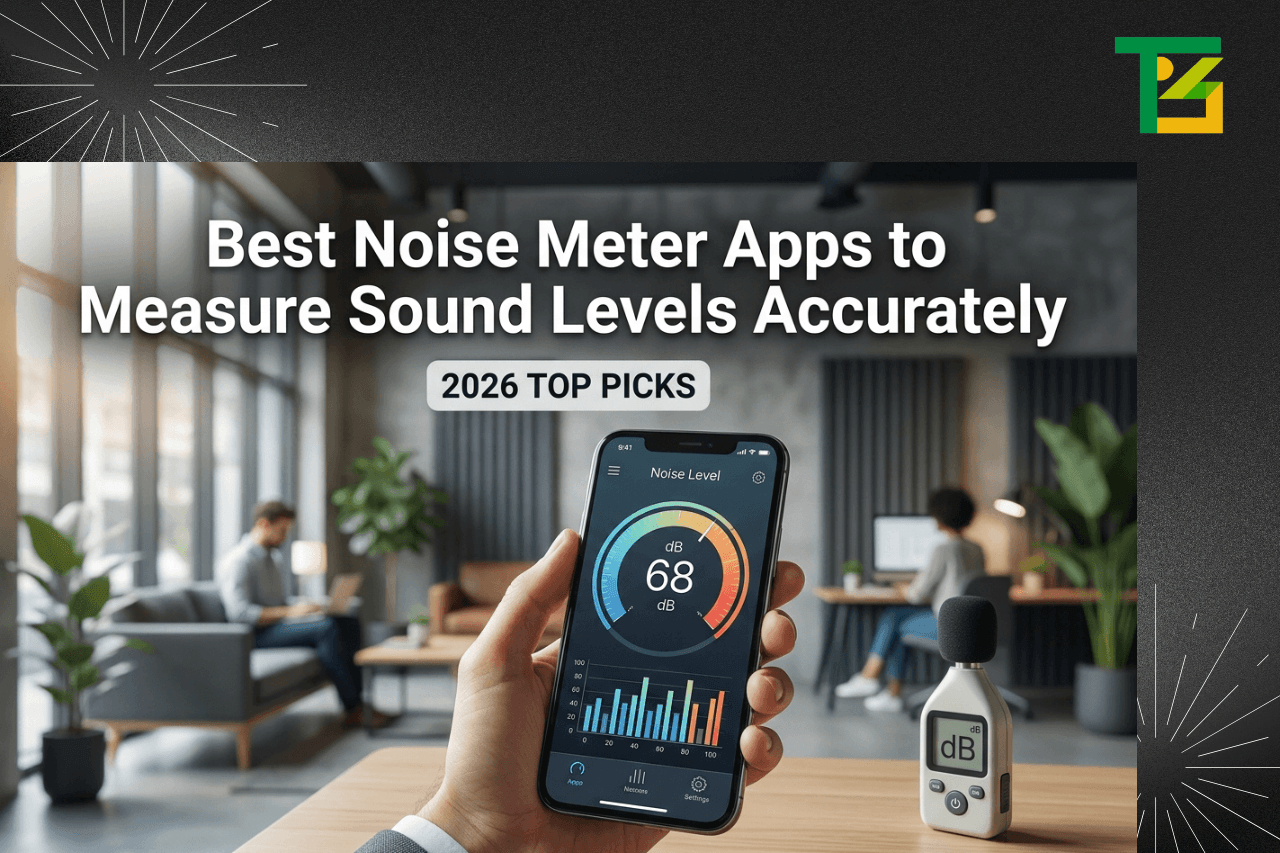
A noise meter app turns your phone’s microphone into a basic sound level meter. It measures ambient sound in decibels (dB) and typically displays readings in real time, sometimes with a history log, visual graphs, or calibration options.
The use cases are pretty varied. Some people use them professionally, such as acoustic engineers, occupational health officers, and music producers. Others are renters dealing with a noisy landlord, parents checking whether a toy is too loud for a toddler, or commuters just curious about how bad their morning train really is.
They’re not lab instruments. But for everyday awareness and informal measurement, they do the job surprisingly well.
Key Features to Look for in the Best Noise Meter Apps
Not all apps are built the same. Here’s what separates the genuinely useful ones from the ones you’ll delete after two days:
- Real-time dB readings: ideally with A-weighting (dBA), which better matches how human ears perceive sound
- Peak and average levels: so you can catch spikes, not just the calm moments
- Recording and logging: useful if you need evidence of repeated noise events
- Calibration support: some apps let you adjust readings against a known reference
- Export options: CSV or PDF exports for documentation or reports
- Clean UI: because squinting at cluttered graphs at midnight helps no one
- Low-latency response: the reading should update fast enough to be useful
Paid apps generally outperform free ones on calibration and data export. But plenty of free apps are solid for casual use.
Also Read: Post-Quantum Cryptography
15 Best Noise Meter Apps in 2026
Finding a reliable sound measurement tool shouldn’t take hours of testing and deleting. Here’s a curated list of 15 apps that actually hold up across different platforms, use cases, and budgets.
1. Decibel X- dB Sound Level Meter
Platform: iOS & Android
Decibel X has been around long enough to earn serious credibility. It shows real-time SPL readings with a clean analog-style display, supports A-, C-, and Z-weightings, and lets you export data. The paid version unlocks logging and deeper analytics. Consistently ranks among the best noise meter apps for anyone wanting something that looks professional and actually functions like it too.
2. NIOSH SLM (Sound Level Meter)
Platform: iOS & Android
Developed by the National Institute for Occupational Safety and Health – so yes, this one has actual institutional credibility. It’s built specifically for workplace noise monitoring and follows ANSI standards. Free, straightforward, and surprisingly accurate for a government-made app. A solid choice if occupational health compliance is your main concern.
3. Noise Meter – Sound Detector
Platform: Android
A no-frills option that does exactly what the name says. Displays current, max, and average dB levels. The interface is simple enough that you don’t need a manual. Good pick if you want something quick to install and quicker to understand.
4. dB Meter – Sound Noise Detector
Platform: iOS
One of the better options if you’re hunting for the best noise meter app for iPhone. Clean interface, reliable readings, and a useful peak-hold feature. Doesn’t overcomplicate things with features most people will never use.
5. Sound Meter Pro
Platform: Android
This one tends to show up when people are looking for the best noise meter app for Android. It supports continuous monitoring, provides a history log, and lets you set threshold alerts – handy if you want to be notified when sound levels exceed a certain threshold. The pro upgrade adds data export.
6. Too Noisy Pro
Platform: iOS & Android
Originally designed for classrooms (teachers use it to manage noise levels with kids), but it works well in any setting where you want a visual indicator of noise crossing a threshold. The animated display is more engaging than a plain number, which is either a feature or an annoyance depending on your taste.
7. Decibel Meter – Sound Level
Platform: iOS
Straightforward, fast, and free. The live needle display gives it an old-school instrument feel. It’s not the most feature-rich option but handles everyday measurement tasks without fuss.
8. Noise Hunter
Platform: Android
Noise Hunter stands out for its automatic recording feature – it starts capturing audio when levels exceed a set threshold. Useful for situations where you can’t monitor the phone constantly, like logging overnight noise near a construction site.
9. SPL Meter by Studio Six Digital
Platform: iOS
Geared toward audio professionals. Accurate, fast-responding, and compatible with external microphone calibration. If you’re mixing live sound or doing acoustic assessments, this one is worth a serious look. It’s among the best noise meter apps in the professional audio space.
10. SoundPrint
Platform: iOS & Android
SoundPrint has a unique angle – it doubles as a community database of venue noise levels. You measure a restaurant or bar, submit the reading, and it gets added to a searchable map. Useful for people with hearing sensitivities who want to know if a place is manageable before they go.
11. Noise Monitor
Platform: Android
Simple monitoring app with time-based graphing. Not glamorous, but the time-based graph makes it easy to spot patterns, such as whether your apartment is consistently louder in the evenings. Good for informal noise surveys.
12. Decibel Pro
Platform: iOS & Android
A well-rounded option that balances usability with depth. Supports multiple frequency weightings, provides calibration options, and includes a history timeline. One of the better picks among the best noise meter apps if you want something you can grow into rather than outgrow quickly.
13. Audio Frequency Analyzer
Platform: iOS & Android
Goes beyond simple dB readings to show the frequency spectrum. More useful for understanding the character of a sound than just its loudness. If you’re diagnosing an HVAC hum or trying to isolate a specific noise source, this level of detail helps.
14. Noise Level Meter
Platform: Android
A lightweight app that loads fast and reads accurately. No account required, no onboarding friction. Just open it, and you’re measuring. Sometimes that’s exactly what you need.
15. RTA Audio Analyzer
Platform: iOS & Android
Real-time audio analysis with octave band display. More technical than most on this list, but that’s the point. Audio engineers and acoustics professionals use it for room analysis and speaker tuning. Overkill for casual users, but very capable.
Comparison Table of the Best Noise Meter Apps
| App Name | Platform | Free? | Calibration | Data Export | Best For |
| Decibel X | iOS/Android | Freemium | Yes | Yes (paid) | General use |
| NIOSH SLM | iOS/Android | Free | No | No | Workplace safety |
| Noise Meter | Android | Free | No | No | Quick checks |
| dB Meter | iOS | Freemium | No | No | iPhone users |
| Sound Meter Pro | Android | Freemium | No | Yes (paid) | Android users |
| Too Noisy Pro | iOS/Android | Paid | No | No | Classrooms |
| Decibel Meter | iOS | Free | No | No | Casual use |
| Noise Hunter | Android | Free | No | No | Auto-recording |
| SPL Meter | iOS | Paid | Yes | Yes | Audio pros |
| SoundPrint | iOS/Android | Free | No | Yes | Venue research |
| Noise Monitor | Android | Free | No | No | Pattern tracking |
| Decibel Pro | iOS/Android | Freemium | Yes | Yes | Power users |
| Audio Freq. Analyzer | iOS/Android | Freemium | No | No | Freq. analysis |
| Noise Level Meter | Android | Free | No | No | Lightweight use |
| RTA Audio Analyzer | iOS/Android | Freemium | Yes | Yes | Professionals |
How Accurate Are Noise Meter Apps?
Honest answer: they’re decent, not precise. A well-calibrated external microphone paired with a good app can get within 2–3 dB of a professional sound level meter. The built-in phone mic alone? More like 3–5 dB variance, sometimes more depending on the phone model and case interference.
Several factors affect the accuracy and quality of your phone’s microphone, background noise from phone components, whether you’ve calibrated the app, and how you’re physically holding the device. Phones weren’t designed as acoustic instruments, and that shows.
For occupational health compliance or legal documentation, you’ll want a certified Class 1 or Class 2 sound level meter. But for awareness, comparison, and informal monitoring, the best noise meter apps get you close enough to be genuinely useful.
Best Noise Meter Apps by Use Case
For Workplace Noise Monitoring
NIOSH SLM is the obvious choice – it was built for this. Decibel X and SPL Meter also hold up well in professional contexts.
For Home and Personal Use
Decibel X, Noise Level Meter, and Decibel Meter are all clean, quick, and don’t require you to wade through settings just to see a reading.
For Musicians and Audio Professionals
SPL Meter and RTA Audio Analyzer are the go-to picks. Both support calibration and provide frequency-level detail that matters when you’re working with sound intentionally.
For Documenting Noise Complaints
Noise Hunter (for its auto-record feature) and Decibel Pro (for its logging and export capabilities) are your best bets. Being able to produce a timestamped log makes a significant difference if you ever need to escalate a complaint.
For Hearing-Sensitive Environments
SoundPrint’s community database is genuinely useful here. Being able to check whether a venue is consistently loud before you visit is something the other apps simply don’t offer.
Benefits of Using Noise Meter Apps
The obvious benefit is awareness. Most people have no real sense of how loud their environment is until they measure it. A busy restaurant might sit at around 80–85 dB – above the level where prolonged exposure starts to cause hearing fatigue. Knowing that changes how you think about time spent there.
Beyond personal awareness, the best noise meter apps serve a practical documentation role. Renters dealing with noisy neighbors, workers in loud environments, and parents monitoring their kids’ environments all benefit from having data rather than just subjective impressions.
They’re also surprisingly useful for home improvement decisions, such as checking whether new windows actually reduce street noise or figuring out whether a room’s acoustics improve after adding rugs and furniture.
Common Challenges and Limitations of Noise Meter Apps
The microphone is the biggest constraint. Built-in phone mics are optimized for voice calls, not acoustic measurement. They often roll off at high and low frequencies, and they can clip or distort at very high sound levels.
Wind noise is another real issue outdoors; even a light breeze creates artifacts that skew readings. Most apps don’t filter this well.
Then there’s the calibration problem. Without a reference source to calibrate against, you’re trusting whatever factory settings the developer chose. Different phones running the same app can give noticeably different readings.
And finally, these apps generally can’t distinguish between sound sources. If you’re trying to prove that the noise is specifically coming from your neighbor’s HVAC unit and not background traffic, an app won’t help you make that case on its own.
Also Read: MangaPark: The Honest Guide for Manga, Manhwa & Manhua Readers
How to Choose the Right Noise Meter App for Your Needs?
Start with the platform. If you’re looking specifically for the best noise meter app for iPhone, you’re limited to iOS apps, and vice versa for Android. That immediately narrows the field.
Then think about what you’re actually going to do with the data. Occasional spot checks? A free, simple app is fine. Regular monitoring with export for records? You’ll want something with logging and export features, probably a paid tier.
If accuracy matters for professional documentation or occupational health purposes, prioritize apps that support calibration and, ideally, pair them with a quality external microphone. The NIOSH SLM is worth a look, specifically for workplace scenarios.
And honestly, just try a couple. Most of the best noise meter apps have free versions or trials. Install two or three, take measurements in the same spot, and see which one feels reliable and usable to you. That gut check matters.
Future Trends in Noise Meter Apps
Machine learning is starting to show up in this space – apps that can classify sound sources, not just measure overall levels. Imagine an app that tells you “traffic” or “HVAC hum” alongside the dB reading. A few experimental apps are already doing this at a basic level.
Integration with smart home systems is another direction. If your noise meter app could trigger alerts through your home automation setup or automatically log to a connected platform, that would make continuous monitoring much more practical.
There’s also movement toward better external microphone support. As more professional-grade mics become available at consumer prices, the gap between app-based measurement and dedicated instruments will continue to shrink.
And community noise mapping, as demonstrated by SoundPrint, will likely expand. Crowdsourced acoustic data about public spaces has real value for city planning, public health research, and individual decision-making.
Conclusion
If you’ve made it this far, you probably already know that noise affects your life more than you give it credit for. The right tool for measuring it doesn’t have to be complicated or expensive – there are genuinely good options available for free.
For most people, Decibel X or the NIOSH SLM will cover the bases. iPhone users specifically tend to get good results with dB Meter or Decibel Pro as a best noise meter app for iPhone pick, while Android users often point to Sound Meter Pro as a strong best noise meter app for Android choice. Professionals or anyone needing calibration should look at the SPL Meter or the RTA Audio Analyzer.
Whichever you choose from these best noise meter apps, the main thing is to actually use it. Awareness is the first step – and now you have the tools.
FAQs
Q1. Are noise meter apps accurate enough for professional use?
For general awareness and informal monitoring, yes. But for legal or occupational health purposes, you’ll still need a certified sound level meter. Apps like NIOSH SLM come close, especially with an externally calibrated mic.
Q2. Do noise meter apps work differently on iPhone vs Android?
They can. Mic quality varies by device, which affects readings. iPhones tend to be more consistent across models, while Android performance depends heavily on the manufacturer’s hardware.
Q3. Can I use a noise meter app as evidence for a noise complaint?
It can support your case but rarely counts as standalone legal proof. A timestamped log showing repeated high readings adds weight to a complaint; formal disputes usually still require certified instrument readings.
Q4. What decibel level is considered too loud for regular exposure?
Most health guidelines put the safe limit at 85 dB for prolonged exposure. Above 100 dB think concerts or power tools hearing damage can occur in under 15 minutes without protection.