

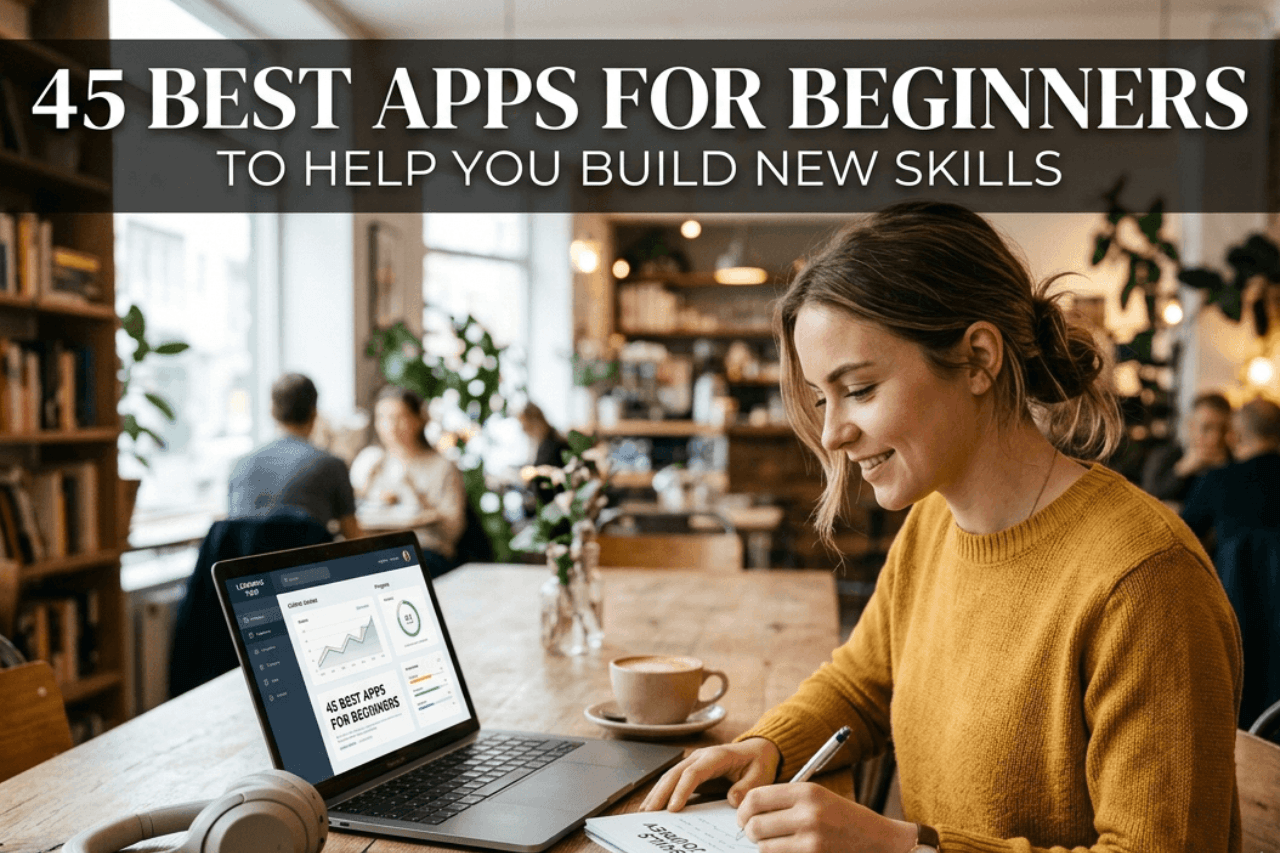
Starting something new is exciting – but it can also feel overwhelming. Whether you’re trying to learn how to invest, get fit, understand the Bible, or pick up a creative hobby like animation, the right app can make all the difference. The best apps for beginners don’t just hand you information – they guide you through it in a way that feels manageable, even fun.
In 2026, the app market is more crowded than ever, which is both a blessing and a curse. Between the Google Play Store and Apple App Store, there are now well over 5 million apps competing for your attention, and finding the right one isn’t as simple as searching and downloading the first result. There are genuinely excellent tools out there that can help a complete novice build real skills in a matter of weeks. But finding them takes time. That’s exactly why this guide exists to cut through the noise and point you toward apps that are actually worth your time.
What Makes an App Beginner-Friendly?
Not every app that calls itself “beginner-friendly” actually is. A lot of platforms use that label as marketing, then throw you into confusing dashboards with no onboarding, no explanations, and no support. So before diving into recommendations, it’s worth understanding what actually separates a good beginner app from a frustrating one.
The best apps for beginners share a few things in common. First, they explain things in plain language without assuming you already know the jargon. Second, they have a clear starting point, you don’t have to figure out where to begin. Third, they give you feedback as you go, so you know whether you’re doing things right or making mistakes you’ll need to unlearn later.
Good onboarding is another huge factor. An app that walks you through setup, explains its features one at a time, and gives you a small win early on is far more likely to hold your attention. And of course, the interface itself matters. Cluttered, confusing layouts are a quick way to lose a new user.
Finally, the best beginner apps grow with you. Once you’ve got the basics down, a good app offers a path forward – whether that’s more advanced lessons, harder challenges, or access to a community where you can keep learning.
Benefits of Using Beginner Apps to Learn New Skills
There’s a reason people reach for apps when they want to learn something new. The convenience alone is hard to argue with – you can practice chess during a lunch break, review investment basics on your commute, or squeeze in a beginner workout before the rest of your household wakes up. Apps bring learning into the pockets of your day in a way that books and classes often can’t match.
Beyond convenience, apps offer consistency. Most well-designed learning platforms use habit-forming mechanics – streaks, reminders, daily challenges to help you show up even when motivation dips. And motivation always dips. The apps that understand this build in systems to keep you going anyway.
There’s also something to be said for the low-pressure environment. Learning in an app feels less intimidating than walking into a class or gym for the first time. You can make mistakes quietly, repeat lessons without embarrassment, and move at your own pace. That psychological safety is genuinely valuable when you’re starting from scratch.
For skills like investing, trading, or crypto, apps often include simulation modes or paper trading features that let you practice with virtual money before anything real is at stake. That alone can save beginners from costly early mistakes.
45 Best Beginner Apps to Help You Build New Skills
The apps listed here have been selected for ease of use, educational value, user feedback, and their ability to serve someone starting fresh. They’re not all free, but most offer a solid free tier to get you started.
Best Stock Trading App for Beginners
Learning to trade stocks can feel intimidating at first, but the right platform makes the learning curve much gentler. The best stock trading app for beginners should combine real market access with enough education that you’re not flying blind.
Robinhood
Robinhood remains one of the most popular starting points thanks to its clean interface and commission-free trades. It won’t overwhelm you with charts and data points on your first login, and the in-app explainers help you understand what you’re looking at. For beginners, the fractional shares feature is particularly useful – you don’t need hundreds of dollars to buy into a company you believe in.
Webull
Webull is another strong contender for those who want a bit more data without the steep learning curve of professional platforms. It offers paper trading, which is one of the best features any beginner-focused stock app can have – you practice with fake money and real market conditions until you feel confident enough to trade for real.
Public
Public takes a slightly different approach by adding a social layer. You can see what other investors are buying and follow along with their reasoning. For beginners who learn better by watching others, this community element can be genuinely educational.
Stash
Stash is worth a mention for absolute beginners who feel nervous about picking individual stocks. It guides you toward investments based on your values and goals, making the whole process feel less like gambling and more like deliberate planning.
SoFi Invest
SoFi Invest rounds out this category nicely. It’s part of a broader financial platform, so as you grow more confident, you can bring more of your financial life into one place. The educational content is solid, and the interface never feels like it’s trying to overwhelm you.
Best Investment Apps for Beginners
Investing is broader than stock trading – it includes things like ETFs, bonds, real estate, and retirement accounts. The best investment apps for beginners tend to focus on long-term wealth building rather than day-to-day market activity.
Acorns
Acorns is one of the most approachable investment apps ever built. It rounds up your everyday purchases to the nearest dollar and automatically invests the spare change. You barely have to think about it, which is exactly right for someone who’s never invested before. Over time, those small amounts add up, and more importantly, you get used to the idea of money working for you.
Betterment
Betterment takes a robo-advisor approach, meaning it builds and manages a diversified portfolio for you based on your goals and timeline. You don’t need to pick stocks or rebalance anything – the app handles it. This is ideal if you want to invest consistently but don’t yet have the knowledge to manage a portfolio yourself.
Fidelity
Fidelity might seem like an unexpected pick for beginners, but its mobile app has improved dramatically in recent years and now offers genuinely accessible onboarding, zero-commission trades, and one of the best collections of educational content in the industry. If you’re planning to invest for the long haul, Fidelity gives you room to grow.
M1 Finance
M1 Finance is built around the concept of “pies” – customizable portfolios you can build yourself or copy from experts. For beginners who want some control without getting lost in complexity, it hits a satisfying middle ground.
Best Workout Apps for Beginners
The gym can be an intimidating place. Knowing what to do, how to do it correctly, and how to build a program that actually produces results is genuinely hard without a coach. Workout apps for beginners bridge that gap.
Nike Training Club
Nike Training Club is one of the best free options available. It offers hundreds of guided workouts across different fitness levels, and its beginner programs are well-structured, clearly explained, and don’t assume you have any equipment. Video demonstrations mean you’re never guessing about form.
Peloton
Peloton is better known for its connected bikes and treadmills, but its app works perfectly well without any hardware. For beginners, the guided classes with real instructors provide the kind of accountability and encouragement that’s hard to replicate on your own. The “just five more minutes” energy of a good Peloton instructor is surprisingly effective.
FitOn
FitOn is a completely free workout app that’s become increasingly popular for good reason. It has a wide range of beginner-friendly classes, including yoga, HIIT, strength, and Pilates, led by certified trainers. The lack of a paywall is a genuine advantage for someone who isn’t yet sure how seriously they want to take fitness.
JEFIT
JEFIT leans more toward strength training and is excellent for beginners who want to follow a structured lifting program. It tracks your sets, reps, and weights automatically and includes animated exercise guides so you can check your form before picking up a barbell for the first time.
Sworkit
Sworkit deserves a mention for its flexibility. You tell it how long you have and what kind of workout you want, and it builds a routine on the spot. For beginners with unpredictable schedules, that adaptability is genuinely useful.
Best Running App for Beginners
Running sounds simple you just… run. But starting from zero without guidance often leads to injury or burnout within the first few weeks. A good running app for beginners takes a smarter approach.
Couch to 5K (C25K)
Couch to 5K (C25K) is the gold standard here and for good reason. Its eight-week program alternates between running and walking to build your fitness gradually without overwhelming your body. Millions of people have run their first 5K because of this program. It’s not flashy, but it works.
Nike Run Club
Nike Run Club is the more feature-rich option, with guided runs narrated by coaches and athletes. The beginner plan is well-paced, and the audio coaching during runs gives you something to focus on beyond just how much your legs hurt. The community challenges add a social element that some people find motivating.
Runna
Runna is a newer entrant that’s earned strong reviews for its personalized training plans. You input your current fitness level and a goal, and it builds a plan that adapts as you improve. For beginners with a specific race in mind, this structured approach can be really effective.
Strava
Strava is more of a tracking and community app than a coaching tool, but it’s worth including because it shows you what progress actually looks like over time. Seeing your pace improve week over week is one of the best motivators a beginner runner can have.
Best Crypto Apps for Beginners
Cryptocurrency is a volatile, sometimes confusing world, and beginners need an app that takes education seriously rather than just making it easy to throw money at coins you’ve never researched.
Coinbase
Coinbase is the most widely used starting point for new crypto investors, and its reputation is well-earned. The interface is clean, the supported assets are thoroughly explained, and Coinbase Learn actually pays you small amounts of crypto for completing educational modules. That’s a genuinely clever way to get beginners comfortable with the technology while also giving them a small stake to play with.
Crypto.com
Crypto.com has grown considerably and offers a solid experience for beginners who want access to a wider range of coins. Its educational content has improved, and the rewards program gives users something to engage with beyond just watching prices move.
eToro
eToro brings its social trading model to crypto, making it easy for beginners to follow and copy experienced investors. Rather than picking coins blindly, you can learn from how others approach the market. This observational model tends to work well for people who are still building confidence.
Gemini
Gemini is worth considering for beginners who prioritize security and regulatory compliance. It’s one of the most heavily regulated exchanges in the US, which provides a level of reassurance that newer platforms can’t always offer. Its Gemini Earn feature also lets you put idle crypto to work.
Best Chess App for Beginners
Chess has exploded in popularity over the last few years, and the best chess app for beginners needs to do more than just let you play — it needs to actually teach you the game.
Chess.com
Chess.com is the largest chess platform in the world, and its beginner resources are genuinely excellent. The lessons cover everything from how the pieces move to basic tactics and strategic concepts, and they’re presented in an interactive way that’s far more engaging than reading a book. The puzzle rush feature helps beginners quickly sharpen their pattern recognition.
Lichess
Lichess is the free, open-source alternative that holds its own against paid platforms. The learning tools are comprehensive, the interface is clean, and the community is active. For beginners who don’t want to pay anything, Lichess is hard to beat.
Magnus Trainer,
Magnus Trainer, created by World Chess Champion Magnus Carlsen, focuses specifically on skill development through drills and mini-games. It’s particularly good for beginners who want structured improvement rather than just playing random games and hoping to get better.
ChessKid
ChessKid is designed specifically for younger players but is genuinely good for any adult who wants a gentler introduction to the game. The interface is friendly, the explanations are clear, and there’s no pressure.
Best Sports Betting App for Beginners
Sports betting is legal in many states and countries now, and beginners entering this space need platforms that are transparent about odds, responsible gambling tools, and educational resources.
DraftKings
DraftKings is one of the most user-friendly sportsbooks for beginners. The interface explains odds clearly, and the app includes helpful tooltips that explain what different bet types mean without requiring prior knowledge. The new user promotions are also among the most generous in the industry.
FanDuel
FanDuel competes closely with DraftKings and slightly edges it out for beginners in some areas, particularly with its “Same Game Parlay” feature, which makes combining bets more intuitive. The app is well-designed, and the customer support is responsive, which matters a lot when you’re just learning the ropes.
BetMGM
BetMGM is worth considering for its educational content and straightforward interface. It also has robust responsible gambling features — deposit limits, self-exclusion options, and spending trackers – which are important tools for anyone new to betting.
Caesars Sportsbook
Caesars Sportsbook rounds out this category with competitive odds and a clean app experience. Its rewards program is tied to the broader Caesars loyalty ecosystem, which can provide additional value for users who plan to stay with one platform.
A note for anyone new to sports betting: always set strict budget limits before you start, and treat it as entertainment rather than income.
Best Bible Apps for Beginners
Whether you’re new to faith, returning after years away, or simply curious about what the Bible says, the best Bible apps for beginners make scripture accessible rather than overwhelming.
YouVersion Bible App
YouVersion Bible App is the most downloaded Bible app in the world, and it’s easy to see why. It offers dozens of translations – from traditional King James to contemporary versions designed to read like modern prose – along with thousands of reading plans organized by topic, length, and life situation. If you’ve never read the Bible before and don’t know where to start, YouVersion’s “Beginner Bible” reading plans are a genuinely good entry point.
Dwell
Dwell takes a different approach by focusing on audio. All scripture is read aloud by professional narrators with calming music in the background, making it accessible for people who struggle with reading or simply prefer to listen. For beginners who find opening a Bible daunting, hearing it read beautifully can be a more comfortable starting point.
Bible Gateway
Bible Gateway is more of a research tool, but it’s incredibly useful once you start having questions about what specific passages mean. It offers hundreds of translations side by side and access to commentaries that explain the historical and theological context of what you’re reading.
Olive Tree
Olive Tree is excellent for beginners who want to go deeper fairly quickly. It bundles together multiple study resources – commentaries, dictionaries, maps — in a way that doesn’t feel overwhelming because everything is linked contextually to whatever passage you’re reading.
Best Animation Apps for Beginners
Animation is a creative skill that takes patience to develop, but the right app can make early progress feel rewarding rather than frustrating.
FlipaClip
FlipaClip is one of the most popular animation apps for beginners, particularly on mobile. It uses a traditional frame-by-frame animation approach that teaches the fundamentals of movement and timing in a very hands-on way. The interface is intuitive, and the community of creators who share their work provides constant inspiration.
Procreate Dreams
Procreate Dreams (on iPad) has significantly raised the bar for mobile animation. If you’re already comfortable with digital drawing, Dreams extends those skills into animation in a way that feels natural. The timeline interface is more sophisticated than most beginner tools, but the learning resources are solid.
Adobe Animate
Adobe Animate is more powerful than most beginners need immediately, but for those who know they want to work in animation professionally someday, learning on industry-standard software from the start isn’t a bad idea. Adobe offers a solid free trial and plenty of tutorial content for new users.
Animaker
Animaker is specifically built for beginners who want to create explainer videos, social media content, or basic animated stories. It’s template-heavy, which some purists might find limiting, but for someone who just wants to quickly create something they’re proud of, templates are actually very useful.
Canva’s animation
Canva’s animation tools are worth a mention for absolute beginners. If you’re already using Canva for other design work, the animation features are accessible and produce respectable results without a steep learning curve.
Best Brokerage App for Beginners
A brokerage account is where your investments actually live, and the best brokerage app for beginners should be trustworthy, low-cost, and easy to navigate.
Fidelity
Fidelity consistently ranks at the top of this category for new investors. There are no account minimums, no commissions on stock and ETF trades, and the educational resources are among the best in the industry. Fidelity also has a strong reputation for customer service, which matters a lot when you have questions and aren’t sure who to ask.
Charles Schwab
Charles Schwab is another institution-grade option that’s become genuinely beginner-friendly. After acquiring TD Ameritrade, Schwab inherited thinkorswim – a powerful trading platform, but its main app remains clean and accessible for those who don’t need all those features yet.
Vanguard
Vanguard is the right choice if your primary goal is long-term, passive investing. Its own funds have among the lowest expense ratios available, and the platform is built around the philosophy of buy-and-hold rather than active trading. It’s not the most exciting interface, but exciting interfaces are often designed to make you trade more, which usually works against long-term investors.
Interactive Brokers
Interactive Brokers has launched a beginner-focused tier called IBKR Lite that offers commission-free trades alongside access to global markets. For beginners who might eventually want to invest internationally, this scalability is a genuine advantage.
Also Read: Apple Launches iOS 27: Top New Features Revealed in 2026
How to Choose the Best Beginner App for Your Learning Goals
With so many options available, picking the right app isn’t always straightforward. The first question to ask yourself is what exactly you’re trying to accomplish. “I want to get fit” is different from “I want to run a 5K in three months,” which is different again from “I want to build strength for hiking.” The more specific your goal, the easier it is to find an app that’s actually designed for it.
Next, consider your learning style. Some people absorb information best through video demonstrations. Others prefer reading. Some want interactive quizzes; others want to just dive in and figure things out as they go. Most apps are designed with one of these styles as their primary mode – reading reviews and trying free tiers before committing is always worth the time.
Budget is another practical consideration. Most beginner apps have free tiers, but the best features are often behind a paywall. If you’re serious about a skill, spending $10–$15 per month on a good app is usually worth it. But it’s always smart to exhaust the free version first to make sure you’ll actually use it.
Finally, think about the community. Learning in isolation works for some people, but many beginners find that having a community – even a digital one makes a meaningful difference in how long they stick with something. Apps that include social features, forums, or group challenges tend to produce better outcomes for people who need that external accountability.
Free vs Paid Beginner Apps: Which One Should You Choose?
The honest answer is that it depends on how serious you are – and that seriousness is something you can only really gauge after trying the free version.
Free apps have come a long way. Apps like Lichess for chess, Nike Training Club for fitness, and YouVersion for Bible reading offer genuinely premium experiences without charging anything. For casual learning or exploration, free is often completely sufficient.
That said, paid apps tend to offer more personalization, more structured progression, and fewer distractions (ads can be a real problem in free apps). If you’ve stuck with a free app for a few weeks and you’re still engaged, upgrading to a paid plan is usually a reasonable investment.
One thing to watch out for is apps that deliberately nerf their free tiers to pressure users into upgrading. You’ll notice it when features that seem essential are locked behind a paywall from day one, or when the free content runs out suspiciously fast. These apps often aren’t the best choice even after paying – companies that treat their free users well tend to treat paying customers better too.
A practical approach: use the free tier for 2–4 weeks. If you’re still showing up consistently, upgrade. If you’re not, it probably wasn’t the right app – or the right time – regardless of price.
Common Mistakes Beginners Make When Using Learning Apps
The biggest mistake beginners make is downloading too many apps at once. It feels productive – you’re covering all your bases – but it almost always leads to doing nothing consistently. Choose one app per skill and give it a real chance before adding anything else.
- Another common pitfall is skipping the fundamentals: Most apps are designed to be used sequentially, and jumping ahead because the early content feels too basic usually backfires. The foundational stuff isn’t just about information – it’s about building habits and mental frameworks you’ll need later.
- Passive use is a trap that catches many beginners: watching workout videos without actually working out, reading investment articles without investing, or going through chess lessons without practicing the concepts in real games. Apps can create an illusion of learning while you’re really just consuming. Real learning requires doing.
- Setting unrealistic expectations early on leads to significant app abandonment. If you’re expecting to be a confident stock trader after two weeks or run five miles comfortably after three, you’ll likely feel like the app isn’t working. Skill development takes longer than most people expect, especially in the early stages when progress is real but not always visible.
- Finally, many beginners quit too soon: There’s almost always a frustrating plateau in the early stages of any new skill – a period where you feel like you’re putting in effort without seeing improvement. This is normal, and every experienced practitioner has been through it. The apps that help you get through that period (with community, encouragement, streaks, and clear milestones) are worth sticking with.
Tips to Get the Most Out of Beginner Learning Apps
Consistency matters more than intensity. Using an app for 15 minutes every day will almost always produce better results than using it for two hours on Saturday and nothing the rest of the week. Build the habit first; increase the duration later.
- Set a specific time in your day: for your app-based learning and protect it. Treat it like a meeting you can’t cancel. The apps that build in daily reminders exist for this reason – turn them on, at least for the first month while the habit is forming.
- Take notes: This sounds old-fashioned, but writing down what you’re learning – even just key points or things that surprised you – dramatically improves retention. You don’t need a fancy system; a plain notebook works fine.
- Use the community features: if they exist. Posting your progress, asking questions, and engaging with other learners creates accountability and often surfaces insights you wouldn’t have found on your own.
- Review regularly: Most apps focus on forward momentum, but revisiting earlier lessons after a few weeks often reveals how much you’ve actually learned – and sometimes fills in gaps you didn’t know existed.
- And finally: celebrate small wins: Getting your first chess tactic right, completing your first week of running, making your first investment – these moments matter. Acknowledging progress, even quietly, helps your brain associate the effort with positive feelings, which makes you more likely to keep going.
Also Read: 15 Best Noise Meter Apps to Measure Sound Levels Accurately in 2026
Conclusion
The best apps for beginners share something important: they meet you where you are, not where they wish you were. They don’t assume prior knowledge, they don’t overwhelm you on day one, and they give you a reason to come back tomorrow.
Whether you’re trying to understand the stock market, build a running habit, explore your faith, or finally learn chess after years of curiosity — there’s a well-designed app that can genuinely help. The hard part isn’t finding an app anymore. It’s choosing one, committing to it, and showing up consistently enough to actually build the skill.
The best tool is always the one you’ll actually use. Start there, and everything else follows.
FAQs
Q1. Are beginner apps really effective for learning new skills?
Yes — when used consistently. Beginner apps are designed to break down complex topics into manageable steps, which makes learning feel less overwhelming. The key is choosing an app that matches your learning style and sticking with it long enough to see real progress. Most people start noticing improvement within just 2–4 weeks of regular use.
Q2. Can I use multiple beginner apps at the same time?
You can, but it’s generally not recommended when you’re just starting out. Juggling too many apps at once often leads to inconsistency, which is the number one reason beginners don’t see results. A better approach is to focus on one app per skill until you’ve built a solid habit, then gradually layer in others.
Q3. Do I need to pay for beginner apps, or are free versions good enough?
Free versions are good enough to get started in almost every category covered in this guide. Apps like Lichess for chess, Nike Training Club for workouts, and YouVersion for Bible reading offer genuinely complete experiences without any paywall. That said, if you’re still showing up consistently after a few weeks, upgrading to a paid plan is usually worth the investment for the added features and personalization.
Q4. How long does it take to see real progress using beginner apps?
It depends on the skill, but most beginners notice meaningful improvement within 3–6 weeks of daily use. Running fitness, chess pattern recognition, and basic investment knowledge all tend to show early progress relatively quickly. The apps that build in streaks, milestone markers, and regular feedback tend to accelerate that progress because they keep you accountable even when motivation naturally dips.





2 Responses