
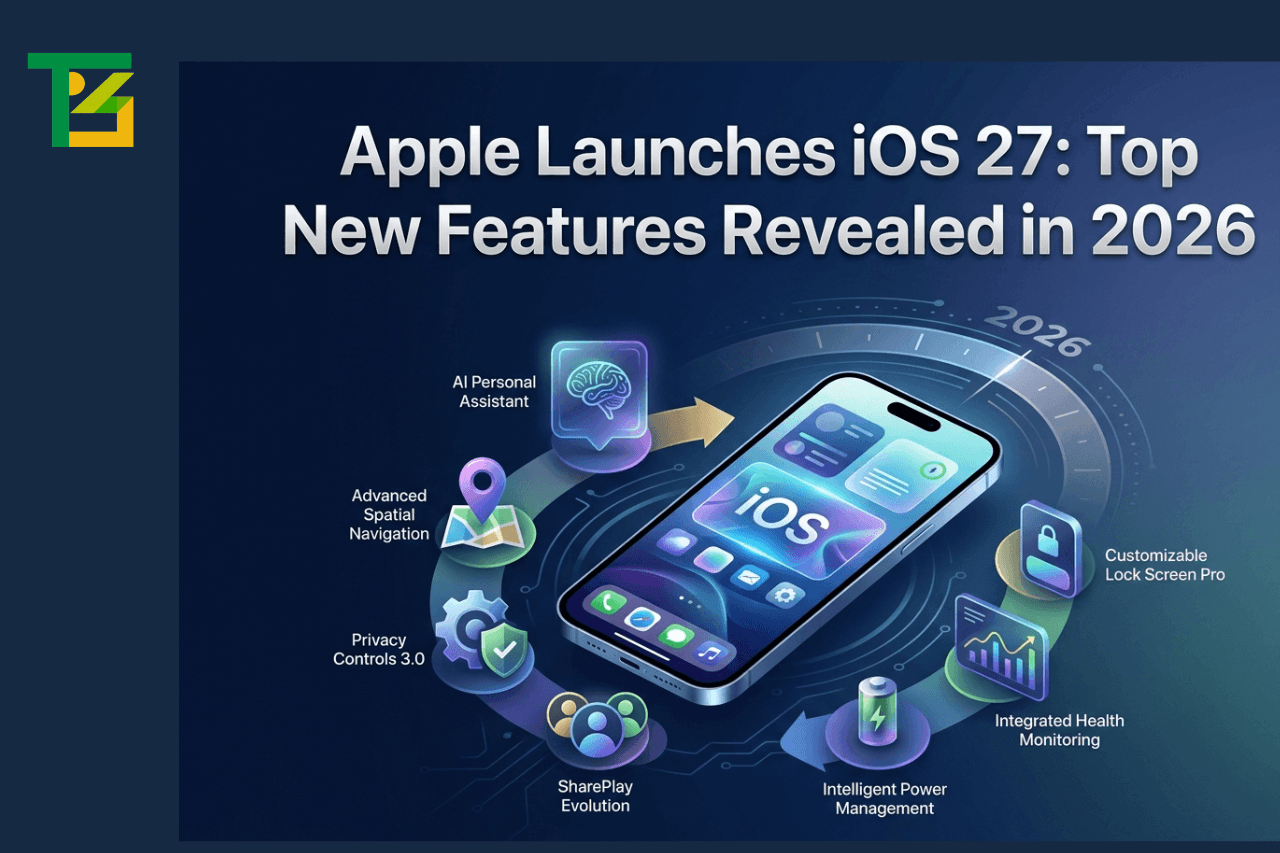
Apple’s annual developer conference, WWDC 2026, kicked off on June 8, and as expected, iOS 27 was front and center. And given that there are now over 1.56 billion active iPhone users worldwide, as per Backlinko’s 2026 iPhone statistics and Counterpoint Research, whatever Apple ships here matters at a scale very few software releases ever reach. There’s a lot going on with this update. Some of it is genuinely exciting. Some of it is Apple finally delivering things people have been waiting on for two or three years. And some of it is Apple quietly doing the boring-but-important work that makes a phone actually feel good to use every day.
Let’s get into all of it.
What Is iOS 27?
iOS 27 is the latest major software update for iPhone, announced at WWDC 2026 and expected to roll out publicly in September 2026. It follows iOS 26, which was a massive visual overhaul – that’s the one that brought the “Liquid Glass” design language and, frankly, caused a fair amount of headaches in terms of battery drain and bugs.
iOS 27 is a different kind of update. Apple’s stated focus this time is quality, stability, and performance. Bloomberg’s Mark Gurman reported that engineers have been reviewing the codebase for bloat to cut and bugs to fix. So don’t expect a dramatic visual refresh – think of this more like Apple tidying up the house it redecorated last year.
That said, there’s still plenty of new stuff, especially on the AI and Siri front, which Apple really needed to get right.
Top New Features in iOS 27
Here’s the short version before we go deep: the headline features are a completely rebuilt Siri, AI-powered photo editing tools, Apple Wallet upgrades, foldable iPhone support, better performance across the board, and meaningfully improved accessibility.
The Siri overhaul alone would make this a significant release. Everything else is a bonus.
Siri Gets a Full Rebuild
This is the big one. Siri is finally becoming what Apple promised it would be back in 2024. iOS 27 brings a dedicated Siri app – yes, an actual app — where you can have back-and-forth conversations, just like with ChatGPT or Gemini. The new Siri is reportedly powered by Google’s Gemini foundation models under the hood, which is a notable partnership.
Swiping down from the Dynamic Island area will open a new “Search or Ask” interface. Siri will now understand personal context, know what’s on your screen, and handle multi-step tasks across different apps. There’s also a “Write with Siri” feature coming, where you can dictate emails and messages instead of typing them. Whether all of this actually works smoothly at launch is another question entirely — Apple has over-promised on Siri before, but the architecture is finally right.
AI Photo Editing Gets Serious
iOS 26 gave us Clean Up. iOS 27 goes further with three new AI-powered tools in Photos: Extend, Enhance, and Reframe. These will live in a new “Apple Intelligence Tools” section within the Photos app. If these work as advertised, they genuinely close the gap with some third-party editing apps that people pay for separately.
Camera App Customization
The Camera app is getting a more customizable interface, including a dedicated Siri mode. It’s a small change on paper, but anyone who uses their iPhone camera constantly will probably appreciate being able to configure it more to how they actually shoot.
Smarter Shortcuts and Writing Tools
AI-powered Shortcuts are finally something normal people can use. Instead of building automations manually, you’ll be able to describe what you want in plain language and Siri will set it up. Writing Tools are also getting an upgrade – smarter grammar checking, better phrasing suggestions, and more visibility throughout the system.
Also Read: iPhone vs Samsung: Which Smartphone Brand is Better in 2026?
New Messaging and Communication Features
Messages aren’t getting a complete redesign, but there are some useful additions. Genmoji – automatic emoji suggestions based on your conversation context is getting more capable in iOS 27. There’s also “Help Me Write,” a Siri-powered option that helps you draft or refine text directly in Messages and other apps.
The bill-splitting feature deserves its own mention too. Through Apple Wallet and Messages, you’ll be able to photograph a receipt, assign items to each person, and send Apple Cash requests automatically. It’s the kind of thing that sounds simple but makes group dinners dramatically less annoying.
Safari is getting smarter with tab organization as well. If you’re someone who ends up with 47 open tabs at a time, iOS 27 might finally give you a way to manage that without just giving up and closing everything.
iOS 27 Performance and Battery Improvements
This is arguably the most underrated part of iOS 27 and the reason many people who felt burned by iOS 26 should pay attention.
Apple engineers have been going through the codebase and removing outdated code, rewriting inefficient features, and generally cleaning things up. The goal is a faster, more responsive iPhone – and importantly, one that doesn’t chew through battery the way iOS 26 did with its heavy GPU demands from the Liquid Glass interface.
Apple is also adding a Liquid Glass intensity slider, so users can dial back the transparency effects if they want. That’s a direct response to accessibility and battery feedback, and it’s a good sign that Apple listened.
For older supported iPhones (iPhone 12 and 13-era devices in particular), these optimizations could make a noticeable real-world difference. Nothing dramatic, but the kind of thing you notice after a few days of use.
New Accessibility Features in iOS 27
Apple previewed these in May 2026, and they’re genuinely good. VoiceOver and Magnifier are getting major Visual Intelligence upgrades – more detailed image descriptions, better understanding of what’s in the camera viewfinder, and smarter real-world object recognition.
Voice Control adds natural language support, so you can control your iPhone by speaking naturally rather than remembering specific commands. Accessibility Reader is being improved. And there’s a new automatic captions feature for personal iPhone videos – not just third-party content.
These features rely heavily on Apple Intelligence, which means they’ll work best on iPhone 15 Pro or newer. But the improvements to VoiceOver and Voice Control in particular don’t have that restriction.
Apple Wallet and Payment Updates
Two solid additions here. First, “Create a Pass” – you’ll be able to scan a physical ticket, gym membership card, or loyalty card and convert it into a digital Wallet pass. Many apps already support Wallet natively, but this fills the gap for those that don’t. Concert tickets from smaller venues, local gym memberships, library cards – that sort of thing.
Second, the bill-splitting feature mentioned earlier. Take a photo of a receipt, divide it up by person, and send Apple Cash requests right from Wallet or Messages. It covers tax and tip, too. Genuinely useful.
Which iPhones Support iOS 27?
iOS 27 is expected to be compatible with all iPhones that currently run iOS 26 – with a few exceptions. The iPhone 11, iPhone 11 Pro, iPhone 11 Pro Max, and second-generation iPhone SE (2020) are all expected to lose support with iOS 27.
That means the minimum supported device will be the iPhone 12 series and the iPhone SE (3rd generation).
Keep in mind that Apple Intelligence features – the AI-heavy stuff like the new Siri, AI photo editing, and some accessibility tools – require an iPhone 15 Pro or later with an A17 Pro chip or newer. So if you’re on an iPhone 12 through 14, you’ll get iOS 27 and the core features, but the AI layer won’t be there.
How to Download and Install iOS 27
iOS 27 officially launches for developers on June 8, 2026. A public beta should follow in July, which anyone can join through Apple’s Beta Software Program at beta.apple.com. The full public release is expected in September 2026, likely around September 14, based on Apple’s typical release schedule.
When it’s available, you install it through: Settings → General → Software Update
Standard advice: back up your iPhone before updating (via iCloud or Finder), make sure you have enough storage, and ideally wait a week or two after the public release if you’re on a device you can’t afford to have issues with. First-day updates occasionally have quirks.
iOS 27 vs iOS 26: What’s Changed?
iOS 26 was a big swing. New visual language, major design changes, Apple Intelligence launch. It was ambitious — and by most accounts, it shipped with too many rough edges. Battery drain, random crashes, Face ID delays, and keyboard bugs were all reported commonly in the months after release.
iOS 27 is Apple’s correction. The Liquid Glass design stays, but it’s getting refined. The focus is on stability and performance rather than adding new visual layers. AI features that were promised for iOS 26 but didn’t ship are arriving properly in iOS 27. Siri, in particular, went from a disappointment in iOS 26 to what should be a genuinely capable assistant.
The foldable iPhone is also a factor. Apple is building iOS 27 to support its first foldable device, expected to launch alongside this update in September. That means new windowing features that let you run two apps side by side on the larger inner display – something that’s never been possible on an iPhone before.
Tips to Get the Most Out of iOS 27
Once you’re on iOS 27, here are a few things worth doing right away:
- Set up the new Siri: It’s now a proper app, not just a voice overlay. Open it, try a multi-step request, and test how well it handles your actual use patterns. Give it a week before you judge it.
- Explore the Shortcuts app: If you avoided Shortcuts before because it was too complicated, now is a good time to revisit it. Natural language automation changes things significantly.
- Check the Liquid Glass intensity setting: If you’re on an older device or you care about battery life, look in Settings for the transparency controls and dial it back a notch.
- Scan your physical passes into Wallet: Gym card, library card, loyalty cards — take twenty minutes and do this. You’ll stop carrying half the stuff in your wallet.
Try the new photo editing tools in the Photos app. Extend and Reframe, in particular, are worth experimenting with if you shoot a lot on your phone.
Common Issues and Fixes After Updating to iOS 27
No major iOS update ships perfectly. Based on typical post-update patterns and the known issues from iOS 26, here’s what to watch for:
- Battery draining faster than expected: Give it 24-48 hours. iOS reindexes your device after a major update, which takes power. If it’s still bad after two days, check Settings → Battery → Battery Health and screen time by app.
- Apps crashing or behaving oddly: Check for app updates. Third-party developers need time to update for a new iOS version. Most major apps update within the first week.
- Face ID or Touch ID not responding consistently: Try re-enrolling your face or fingerprint under Settings → Face ID & Passcode.
- Wi-Fi or Bluetooth connectivity issues: The classic fix: go to Settings → General → Transfer or Reset iPhone → Reset → Reset Network Settings. You’ll need to reconnect to Wi-Fi networks afterward.
- Storage warnings after update: iOS updates sometimes leave behind old files. Settings → General → iPhone Storage shows what’s taking up space and offers suggestions for clearing it.
Also Read: iPhone 18 Model Release Date Strategy
What Developers Need to Know About iOS 27
The big developer story in iOS 27 is CoreAI — a new system framework that makes it much easier to integrate AI capabilities into third-party apps. Instead of building AI features from scratch or relying entirely on external APIs, developers can tap into Apple’s on-device AI infrastructure.
Siri integration is also becoming more open. Developers building AI agents can now tap into Siri and Apple’s own AI apps in ways that weren’t possible before. This is significant for anyone building productivity tools, automation apps, or anything that benefits from natural language understanding.
The iPhone Fold is the other major consideration for developers. iOS 27 introduces windowing APIs for the larger foldable display, which means developers will need to think about side-by-side app layouts and how their apps behave on a 7.8-inch inner screen versus a 5.5-inch outer display. Apple is expected to provide detailed guidance and simulation tools in Xcode.
Developer beta access starts June 8, with the public beta in July and final release in September.
The Future of Apple Intelligence and iOS
iOS 27 feels like a pivot point. The last two years were about Apple catching up to where AI expectations had landed — and honestly, they stumbled a bit. Features promised for iOS 18 and iOS 26 either arrived late or didn’t fully deliver. There was real frustration in the user base, and Apple knew it.
What iOS 27 seems to represent is Apple getting its foundations right. The Siri rebuild isn’t just a feature update — it’s a whole new architectural approach, apparently powered by Gemini at the model level while staying integrated with Apple’s privacy framework. CoreAI gives the developer ecosystem tools to actually build on top of that.
Looking further ahead, the foldable iPhone unlocks a genuinely new form factor that Apple hasn’t had to optimize software for before. iOS 28 and beyond will likely get more experimental as that device finds its audience.
The interesting question is whether Apple’s privacy-first approach to AI – doing as much as possible on-device – remains viable as AI capabilities continue to demand more compute. The A17 Pro and A18 chips handle it well. Older devices don’t get those features at all. That gap between what Apple Silicon can do and what older iPhones can do will only widen.
Conclusion
iOS 27 isn’t the flashiest update Apple has ever shipped. There’s no sweeping visual redesign, no brand-new app categories, no “one more thing” hardware surprise attached to it. What it is, though, is an update that addresses real problems people had with iOS 26 and finally delivers on AI features that were years in the making.
The Siri overhaul is long overdue, but looks genuinely promising this time. The performance and battery improvements are exactly what many users needed. The Apple Wallet additions are practical in a way Apple software sometimes isn’t. And the accessibility features — quietly, without much fanfare – are some of the best Apple has shipped in years.
If you’ve been frustrated with your iPhone feeling sluggish or with Siri being useless, iOS 27 is worth the update. Just wait a week or two after the September public release before pulling the trigger.
FAQs
When will iOS 27 be released to the public?
The public release is expected in September 2026, likely around September 14, following the developer beta (June) and public beta (July) periods.
Which iPhones will support iOS 27?
All iPhones currently running iOS 26, except the iPhone 11 series and iPhone SE (2nd generation). The iPhone 12 and later will be supported. Full AI features require iPhone 15 Pro or newer.
What’s the biggest new feature in iOS 27?
The Siri overhaul. It’s now a standalone app with chatbot-style back-and-forth conversation, on-screen awareness, and multi-app task handling.
Is iOS 27 mostly a bug fix update?
Not entirely — there are real new features — but stability and performance are the primary focus, a deliberate shift from recent years.
What is CoreAI in iOS 27?
CoreAI is a new framework for developers that makes it easier to build AI-powered features into third-party apps using Apple’s on-device AI infrastructure.
Will iOS 27 improve battery life?
That’s the expectation. Apple has done significant cleanup of the codebase, and the addition of a Liquid Glass intensity slider should help devices that were struggling with battery drain under iOS 26.
Does iOS 27 support the foldable iPhone?
Yes. iOS 27 introduces windowing features — running two apps side by side — specifically to support the foldable iPhone expected to launch in September 2026.
What AI photo editing tools are coming in iOS 27?
Three new tools are expected in Photos: Extend, Enhance, and Reframe, joining the existing Clean Up feature in a new Apple Intelligence Tools section.